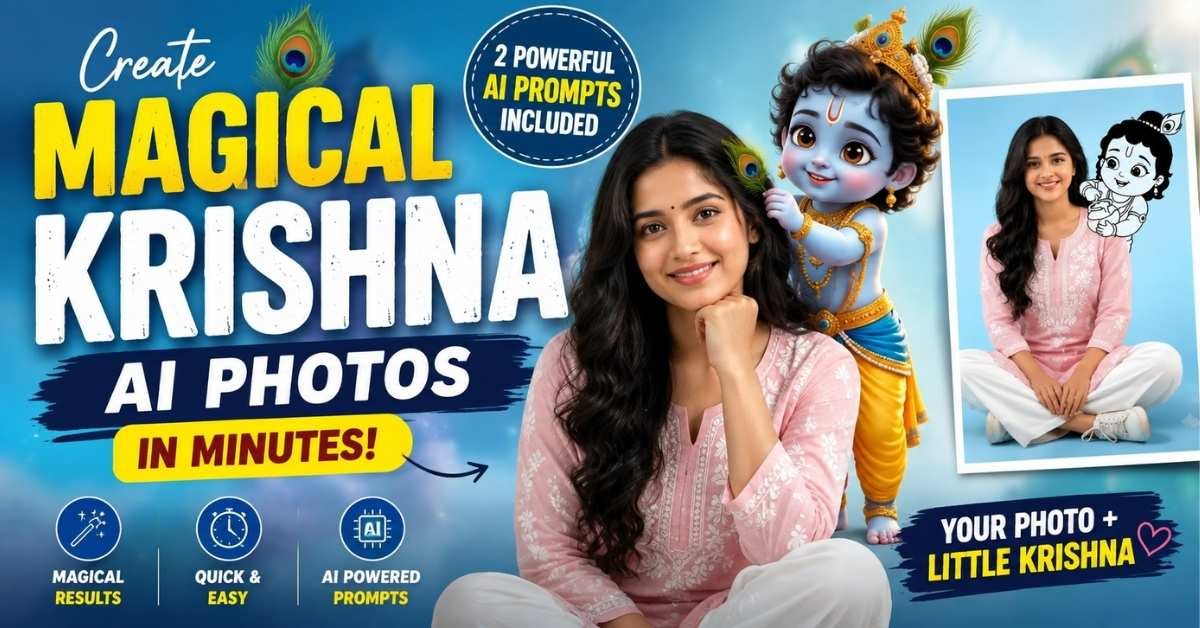
AI photo editing tools can now turn a simple portrait into a beautiful Krishna-inspired creative scene.
With the right prompt, you can combine a realistic human portrait with a cute Krishna character and devotional atmosphere.
You can create these images without professional Photoshop skills.
Just upload your reference photo, paste the prompt, and let the AI generate the scene.
Below is a simple step-by-step guide along with both AI prompts you can use.
How to Create Krishna AI Photos Step by Step
Step 1: Choose Your Photo
Select a clear, high-quality portrait where your face is visible. A front-facing or slightly angled photo usually works best.
Step 2: Open an AI Image Generator
Open your preferred AI image-generation or photo-editing tool that supports reference image uploads.
Step 3: Upload Your Reference Image
Upload your portrait as the reference image. If the tool provides an option such as Face Reference, Character Reference, or Image Reference, enable it.
Step 4: Copy the AI Prompt
Choose one of the prompts below and paste it into the AI tool. You can change the clothing, background, pose, or Krishna character style according to your preference.
Step 5: Generate and Download
Generate the image and check the facial details, hands, clothing, and composition. If necessary, regenerate with a slightly modified prompt for a more natural result.
Krishna AI Photo Prompt 1 – Cute Little Krishna Behind You
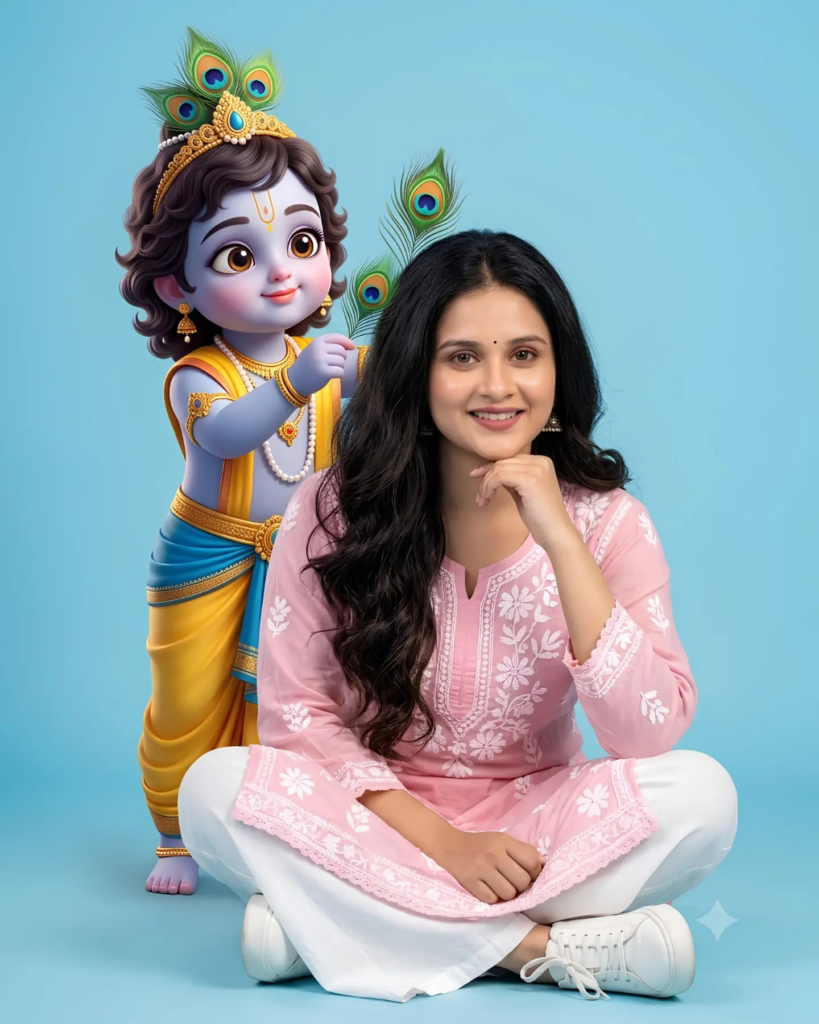
Prompt:
Create a full-length, front-facing studio portrait of a young South Asian woman sitting cross-legged on the floor against a clean, solid light-blue background. She is looking directly toward the camera with a gentle, natural smile. She wears an elegant light-pink embroidered kurti featuring delicate white floral patterns, paired with relaxed white wide-leg trousers and clean white sneakers.
Her appearance should look natural and photorealistic, with realistic skin texture, detailed hair, soft facial features, and subtle studio makeup. Maintain the person’s facial characteristics from the uploaded reference image as accurately as possible.
Behind her, add a cute black-and-white 2D cartoon-style illustration of baby Krishna (Little Krishna), positioned playfully as if interacting with her from behind. The Krishna illustration should have charming expressive features and blend naturally into the composition while clearly retaining a hand-drawn cartoon appearance.
Use soft professional studio lighting, balanced shadows, a clean light-blue backdrop, realistic fabric texture, sharp focus, high detail, and a polished social-media photography aesthetic. Keep the composition uncluttered and make both the woman and Krishna character clearly visible.
Aspect ratio: 4:5.
Krishna AI Photo Prompt 2 – 3D Baby Krishna Playing With Hair
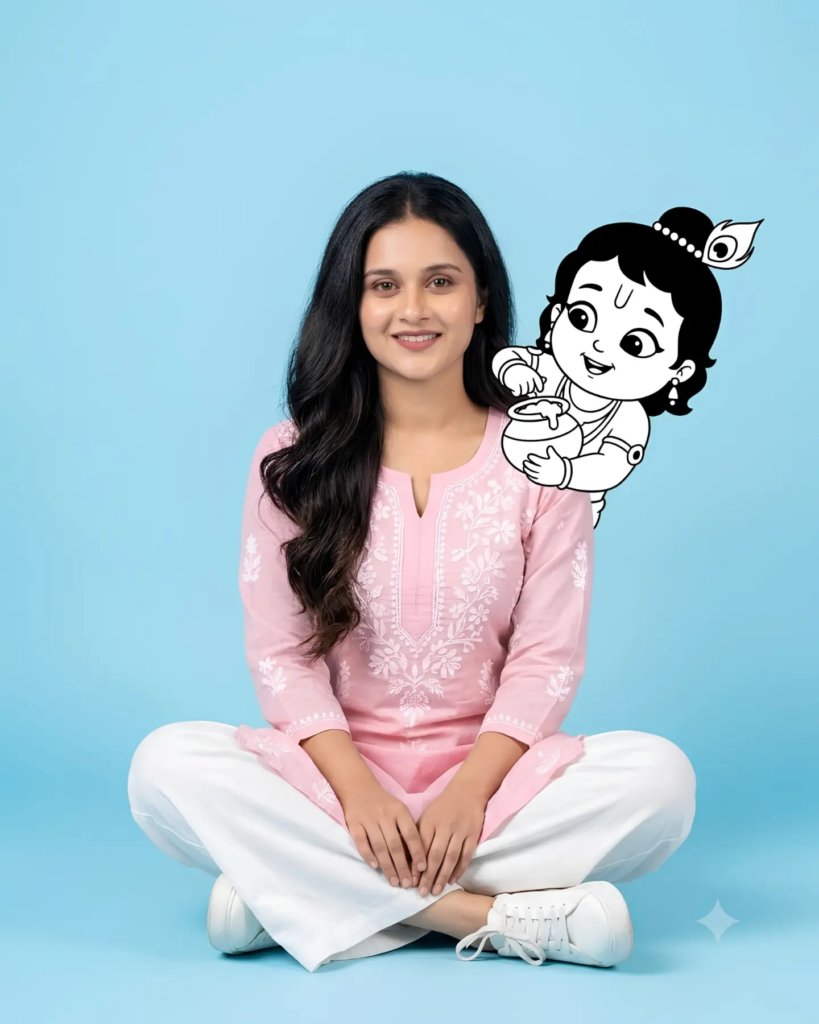
Prompt:
Create a highly detailed photorealistic portrait of a young Indian woman sitting comfortably cross-legged on the floor against a smooth solid light-blue studio background. She is wearing a soft pink embroidered kurta with elegant white floral designs and subtle lace detailing, paired with white flared trousers and white sneakers.
Give her long, naturally wavy dark hair, a small traditional bindi, subtle makeup, and a warm gentle smile. Her right hand is resting naturally beneath her chin while she looks toward the camera. Preserve the recognizable facial characteristics and overall appearance from the uploaded reference photograph.
Behind the woman, place an adorable 3D cartoon-style baby Lord Krishna with large expressive eyes, curly dark hair, a beautiful peacock-feather crown, traditional yellow-and-blue attire, pearl necklace, and delicate golden jewelry. Krishna should appear playful and affectionate, standing behind her while gently placing a small peacock feather into her hair.
Create a visually pleasing combination of realistic human photography and high-quality cute 3D CGI character design. Krishna should look charming and clearly separated from the realistic subject while still appearing naturally integrated into the scene.
Use soft professional studio lighting, realistic shadows, detailed clothing textures, natural skin tones, sharp focus, cinematic depth, warm devotional mood, premium photography quality, and an elegant composition. Avoid distorted hands, extra fingers, unnatural facial features, blurry details, or excessive background elements.
Aspect ratio: 4:5, high-resolution output.
Tips for Better Krishna AI Photos
- Use a clear, well-lit reference photo for better facial consistency.
- Keep the background simple so the AI can focus on the subject.
- Mention “preserve facial characteristics” when using a reference image.
- For a traditional look, add details such as a bindi, peacock feather, jewelry, kurta, saree, or devotional décor.
- If the first result has distorted hands or facial details, regenerate the image with stronger instructions about realistic anatomy.
- Use 4:5 ratio if you want the image to fit Instagram posts and many social-media formats.
Final Thoughts
Creating a Krishna-themed AI photo is surprisingly simple when you have a good reference image and a detailed prompt. The first prompt gives you a 2D cartoon Krishna concept, while the second creates a more colorful 3D baby Krishna look. Try both versions and experiment with different outfits, poses, backgrounds, and Krishna-inspired elements to create your own unique AI photo.
ALSO READ
Create Stunning Birthday AI Photos in Seconds With This Viral Prompt 2026
Create a Stunning Birthday AI Photo From Your Picture: Viral Cinematic Prompt 2026
Butterfly AI Photo Editing Prompt: Create a Dreamy Saree Portrait