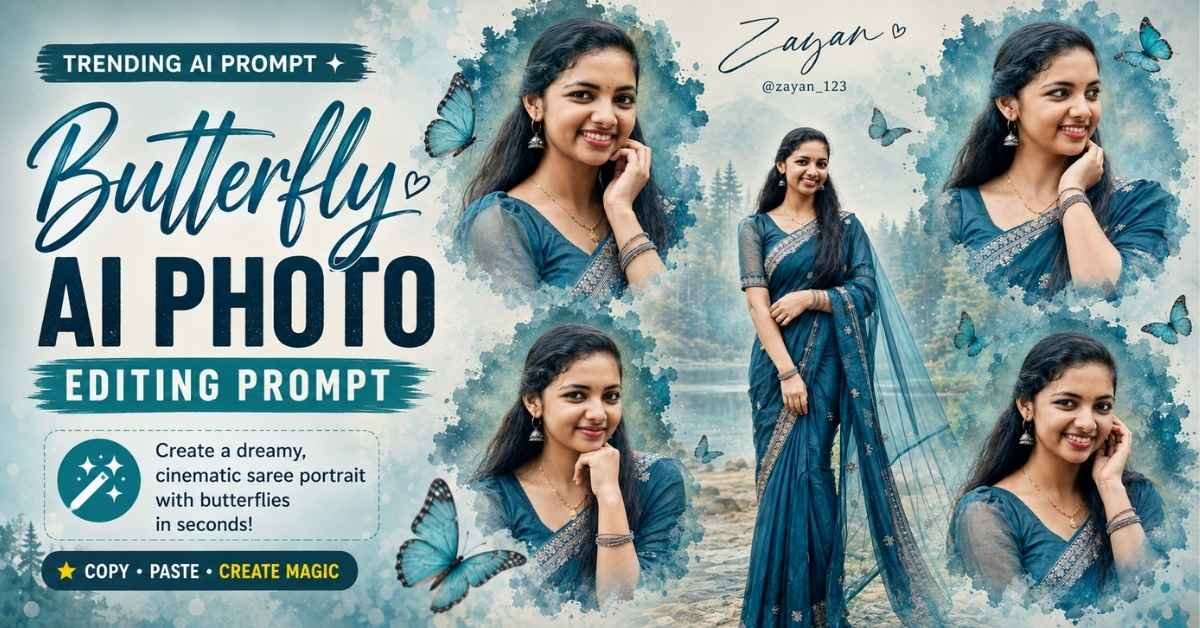
Creating stylish AI portraits has become a popular way to transform ordinary photographs into professional-looking editorial artwork. One of the most beautiful concepts currently trending is the butterfly-themed portrait collage, where multiple portraits of the same woman are combined with watercolor textures, elegant butterflies, dreamy backgrounds, and cinematic lighting.
How to Create This AI Portrait
For the best result, prepare two references:
- Your female face reference — used only to preserve the identity of the woman.
- A Pinterest inspiration image — used only for the composition, artistic arrangement, color direction, and overall visual style.
Do not instruct the AI to copy the identity of the person in the inspiration image. The face reference should remain the only identity source.
Upload the references to an AI image-generation or photo-editing tool that supports image references, then paste the prompt below.
Copy the Butterfly AI Portrait Prompt
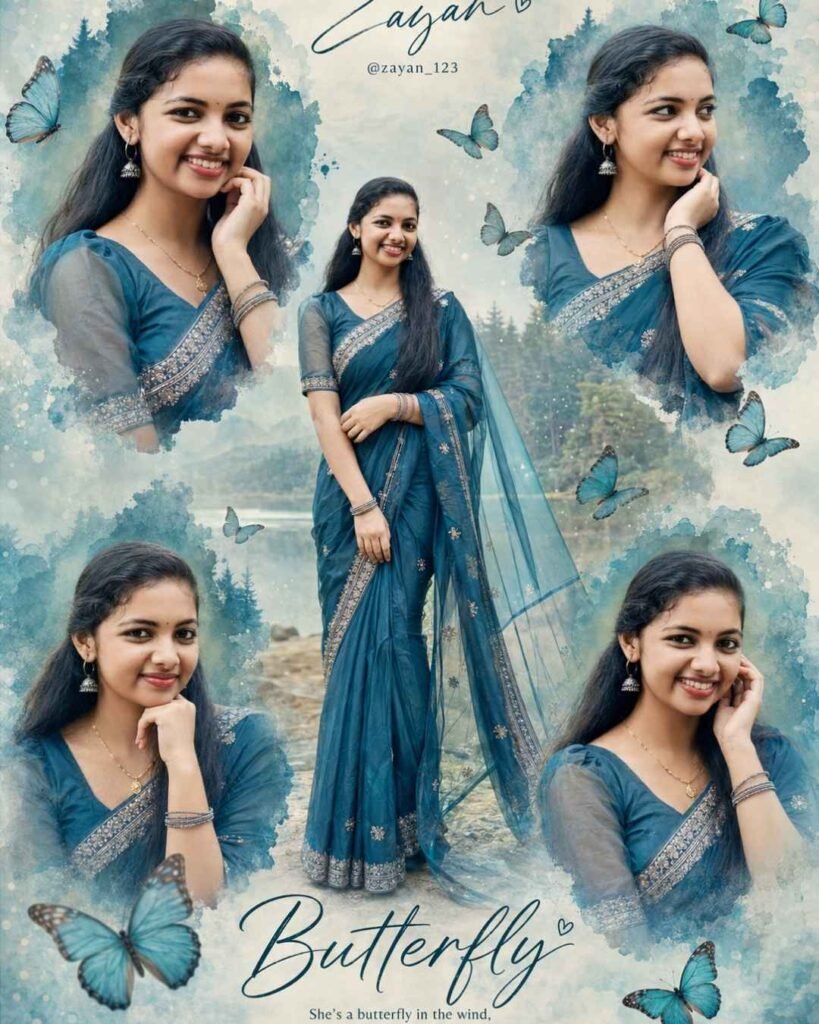
Hyper-realistic cinematic butterfly-themed portrait collage, 3:4 portrait — elegant South Asian woman in a beautiful deep teal-blue saree, premium romantic editorial style, soft dreamy atmosphere, zero flat AI look.

Use the uploaded Pinterest image ONLY as a reference for composition, layout, artistic style, torn/painted portrait shapes, butterfly theme, colors and overall visual balance. Do NOT copy the reference woman's identity.

IDENTITY LOCK — HIGHEST PRIORITY:
Use ONLY my uploaded female face reference for the identity of the woman in EVERY portrait. All portraits and the central full-body woman must be the SAME real woman. Preserve her exact face shape, eyes, eyebrows, nose, lips, jawline, skin tone, facial proportions, natural texture and recognizable features. No generic AI face, celebrity face, beautification or identity change.

COMPOSITION:
Create one central full-body portrait of the woman standing gracefully in the center, wearing a luxurious deep teal/blue saree with delicate silver embroidery and a flowing translucent pallu.

Surround her with FOUR larger close-up portraits of the SAME woman:

• Top-left: gentle smile, hand near cheek.
• Top-right: looking slightly to the side, elegant expression, hand near cheek.
• Bottom-left: soft thoughtful expression, hand supporting chin.
• Bottom-right: warm gentle smile, hand near cheek.

Blend every portrait into artistic soft-edged teal/blue watercolor-paint shapes, matching the reference composition.

BACKGROUND:
Dreamy pale blue-green textured background with soft mist, distant forest/mountain silhouettes, subtle bokeh and elegant butterflies flying naturally around the portraits.

Add a few realistic butterflies near the central figure and around the frame, creating a graceful “Butterfly” theme.

TEXT:
Top center: elegant handwritten title “Zayan” with a tiny heart.
Below it: small clean text “@zayan_123”.

Bottom center: large elegant cursive word “Butterfly”.

Under it: small poetic line:
“She’s a butterfly in the wind, floating and dancing in the summer sun.”

LIGHTING & QUALITY:
Soft natural cinematic light, gentle highlights, realistic skin, detailed saree embroidery, realistic fabric movement, individual hair strands, professional fashion photography, Sony A7R IV, 50mm f/1.8 look.

No plastic skin, no distorted hands, no extra fingers, no duplicated faces, no warped saree, no unnatural anatomy, no watermark.

FINAL PRIORITY:
The uploaded female face reference controls ONLY the woman's identity. The Pinterest image controls ONLY the composition and artistic style.

ASPECT RATIO: 3:4 PORTRAIT
Tips for a More Realistic Result
For better results, use a clear, high-resolution face reference where the woman’s facial features are visible. Avoid heavily filtered selfies because excessive filters can make identity preservation more difficult.
It is also helpful to use a Pinterest reference with a similar collage arrangement to the final design you want. The inspiration image should guide the composition rather than the identity of the subject.
If your AI tool struggles with typography, generate the artwork first and add the text afterward using a design editor. This can produce cleaner lettering and better control over the final poster.
Final Result
The finished image should look like a sophisticated fashion-editorial collage featuring the same woman in five coordinated portraits. The deep teal saree, watercolor textures, misty blue-green scenery, realistic butterflies, cinematic lighting, and elegant typography should work together to create a premium Butterfly-themed AI portrait.
This prompt is especially suitable for Instagram posts, Pinterest graphics, profile artwork, fashion edits, AI photography blogs, and creative photo-editing projects.
Frequently Asked Questions
Can I use my own face in this prompt?
Yes. Upload a clear image of yourself as the female identity reference and instruct the AI to preserve your facial characteristics throughout every portrait.
Can I use a Pinterest image as inspiration?
Yes. The prompt specifically limits the Pinterest image to composition, layout, artistic style, colors, and visual balance rather than using it as the identity reference.
What saree color works best?
Deep teal or blue works particularly well because it contrasts beautifully with pale blue-green backgrounds and complements the butterfly theme.
Can I change the name “Zayan”?
Yes. Replace “Zayan” with your preferred name or title.
Can I change the Instagram username?
Yes. Simply replace @zayan_123 with your own username.
Which aspect ratio should I use?
Use a 3:4 portrait ratio for the composition described in this prompt.
Why are there five portraits?
The design uses one central full-body portrait and four surrounding close-up portraits to create a layered editorial collage.
Can I change the butterfly theme?
Yes. You can replace butterflies with flowers, birds, leaves, stars, or other visual elements while keeping the same collage structure.
How can I make the skin look realistic?
Use a high-quality face reference and include instructions such as natural skin texture, realistic pores, subtle facial details, and no plastic-looking skin.
Can I use the final image for social media?
Yes, provided you have the necessary rights to any reference images and comply with the terms of the AI tool you use.
Conclusion
The Butterfly-themed portrait collage is a creative way to combine realistic AI photography with fashion-editorial design. By keeping the uploaded female reference as the only identity source and using the Pinterest image strictly for artistic inspiration, you can create a visually consistent and personalized result.
ALSO READ Gemini AI Couple Photo Prompts: Create Stunning Radha Krishna Love Photos
Raksha Bandhan AI Video Prompt 2026: Turn Photos Into a Cinematic Rakhi Video
3 AI Black & White Portrait Prompts: Turn Your Photo Into Stunning Neo-Noir Art