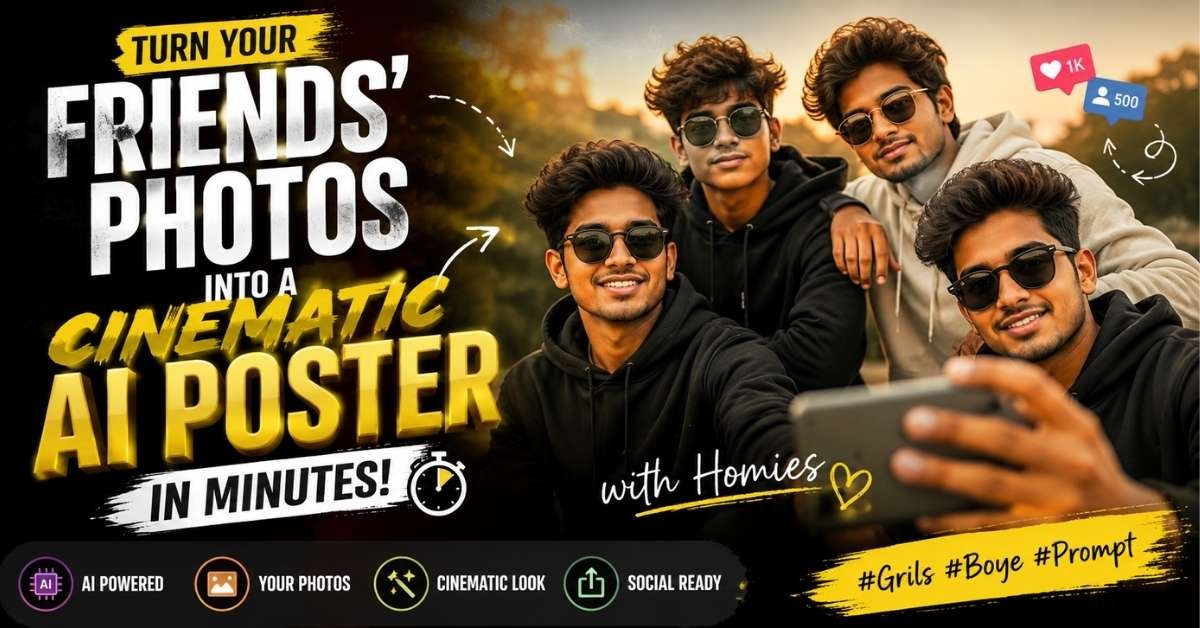
Want to turn your regular group photos into a stylish, cinematic social-media poster? AI image generators can recreate a professional-looking composition while using your uploaded photos as facial references.
How to Create the AI Image in 5 Quick Steps
- Collect your photos: Choose clear, high-quality photos of everyone you want to include.
- Upload the images: Add the reference photos to an AI image-generation or editing tool that supports image references.
- Add the prompt: Copy the prompt below and paste it into the tool along with your photos.
- Generate the image: Let the AI recreate the group composition, lighting, background and poster-style design.
- Check the result: Make sure the faces, number of people, pose and overall likeness look natural before saving the final image.
AI Cinematic Group Poster Prompt
Copy the prompt below and use it with your uploaded reference photos:
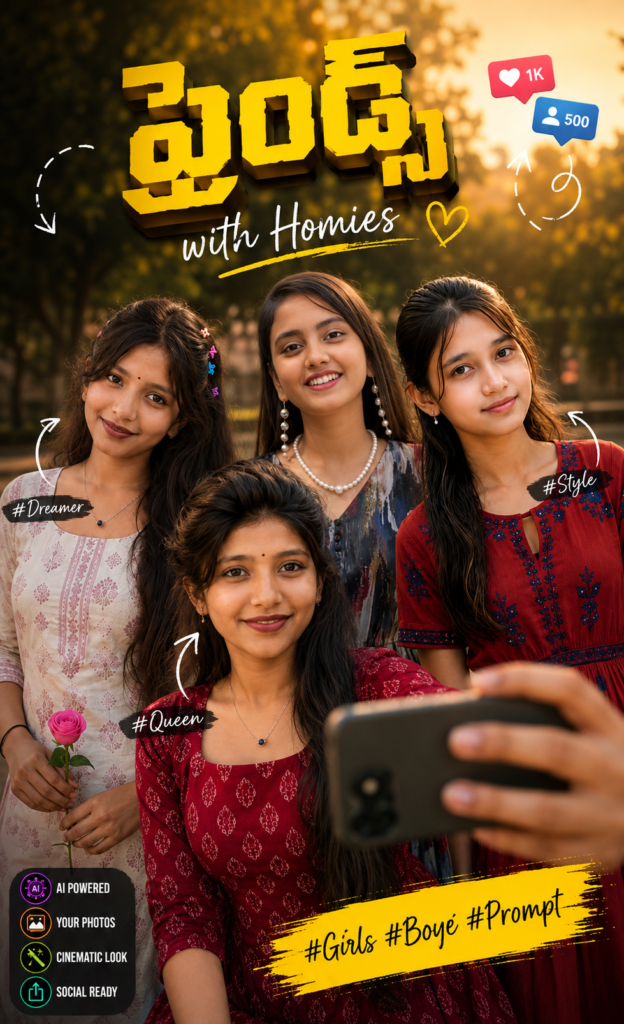
Prompt:
EnteCreate an ultra-realistic cinematic social-media poster inspired by the reference image. Replace every person in the reference completely with the people shown in my uploaded photos. Preserve each person's recognizable facial identity, natural skin tone, hairstyle, facial proportions, body proportions and overall likeness. Recreate the same group pose, framing and visual composition while keeping the people natural and realistic. Include a smartphone held by a hand in the foreground, creating an authentic social-media photography feel. Recreate the warm outdoor environment with cinematic natural lighting, realistic depth, detailed skin texture, natural shadows and professional photographic quality. Maintain the energetic friends-group atmosphere and premium social-media poster aesthetic. Add a bold yellow 3D Telugu-style title, handwritten “with Homies” lettering, Instagram-style tags, decorative arrows and social-media icons, arranged naturally like the reference poster. Vertical 4:5 composition, ultra-photorealistic, high detail, realistic colors, natural lighting, cinematic depth of field, sharp faces, realistic hands, authentic expressions and professional poster-quality photography. Important: Use only the people from my uploaded photos. Do not add extra people. Do not alter or replace their faces. Preserve their natural identity and likeness. No distorted faces, no duplicate people, no unnatural hands, no extra fingers, no face morphing, no watermark. Negative Prompt: extra people, changed faces, different identity, distorted facial features, duplicate person, unrealistic skin, bad anatomy, deformed hands, extra fingers, blurry faces, artificial expressions, low resolution, watermark.r your text here…
Tips for Better Results
For the most realistic output, upload clear front-facing photographs with good lighting. If several people are included, provide a separate reference image for each person whenever the AI tool supports multiple image references.
Keep the instruction about preserving identity and using only the uploaded people in the prompt. This helps reduce common problems such as duplicated faces or unwanted additional characters.
Final Image Settings
- Aspect Ratio: 4:5
- Style: Ultra-realistic cinematic photography
- Quality: High detail / photorealistic
- Lighting: Warm natural outdoor lighting
- Composition: Group portrait + smartphone foreground
- Use Case: Instagram, Facebook, Pinterest and other social platforms
- People: Only the uploaded subjects
- Watermark: None
Conclusion
With the right reference photos and a detailed prompt, you can transform ordinary friend-group photos into a cinematic social-media poster without needing advanced editing skills. Simply upload your photos, paste the prompt, generate the image and make small adjustments if necessary.
ALSO READ
AI Colored Pencil Portrait Prompt: Turn Your Photo Into Stunning Art
Krishna AI Photo Editing Prompt: Create Magical Krishna Photos in Minutes 2026
Create Stunning Birthday AI Photos in Seconds With This Viral Prompt 2026