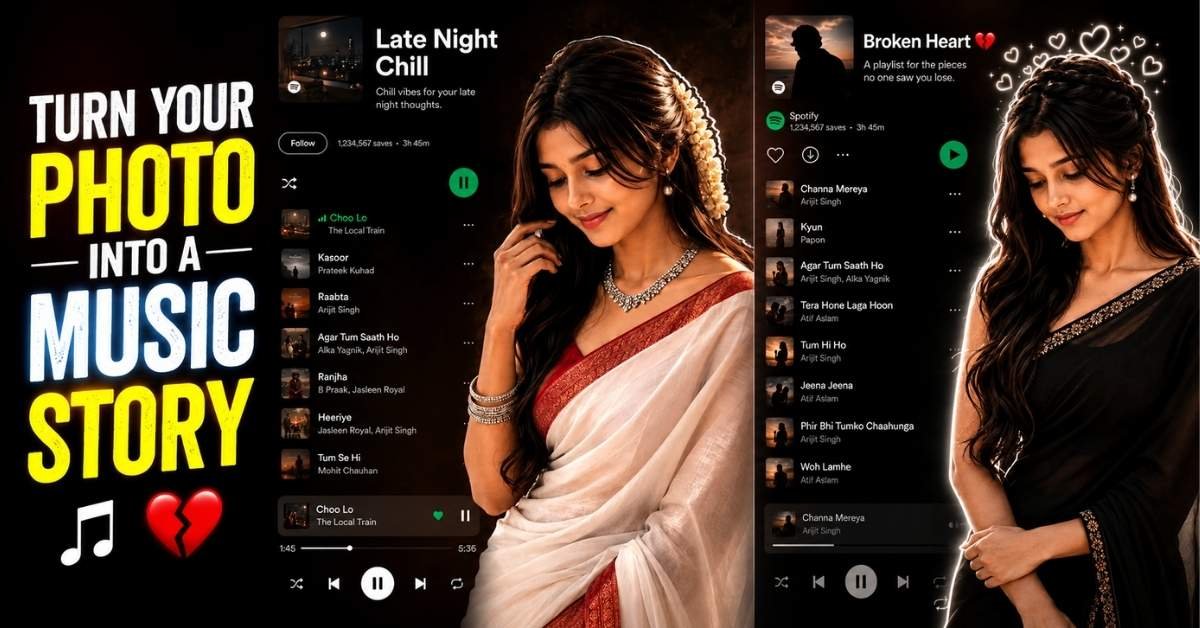
AI photo editing is becoming more creative than ever, especially when you combine a realistic portrait with a stylish music-player interface. This new trend turns an ordinary photograph into an emotional, cinematic artwork featuring moody lighting, elegant outfits, glowing outlines, and personalized playlists.
If you want to create a similar AI music player photo editing effect, you can use the prompts below with an AI image generator or photo-editing tool that supports image references.
How to Create These AI Music Player Photo
Creating this type of image is fairly simple if your AI tool supports image references.
Step 1: Choose a Clear Photo
Use a high-quality portrait where your face is clearly visible. A front-facing or slightly side-facing photograph generally gives the AI more information to work with.
Step 2: Upload Your Reference Image
Open your preferred AI image-generation or photo-editing tool and upload your photograph as the reference image.
Step 3: Select a Prompt
Copy one of the prompts above and paste it into the tool. For a traditional and elegant look, try Prompt 1. For a darker romantic style, use Prompt 2.
Step 4: Customize the Details
You can modify the prompt to change:
- Saree color
- Hairstyle
- Jewelry
- Playlist name
- Music-player layout
- Background
- Lighting
- Emotional expression
- Glowing effects
Step 5: Generate and Refine
Generate the image and check the face, hands, clothing, text, and music-player interface. If anything looks incorrect, regenerate it with a more specific instruction.
Prompt 1: Elegant Cinematic Music Player Portrait
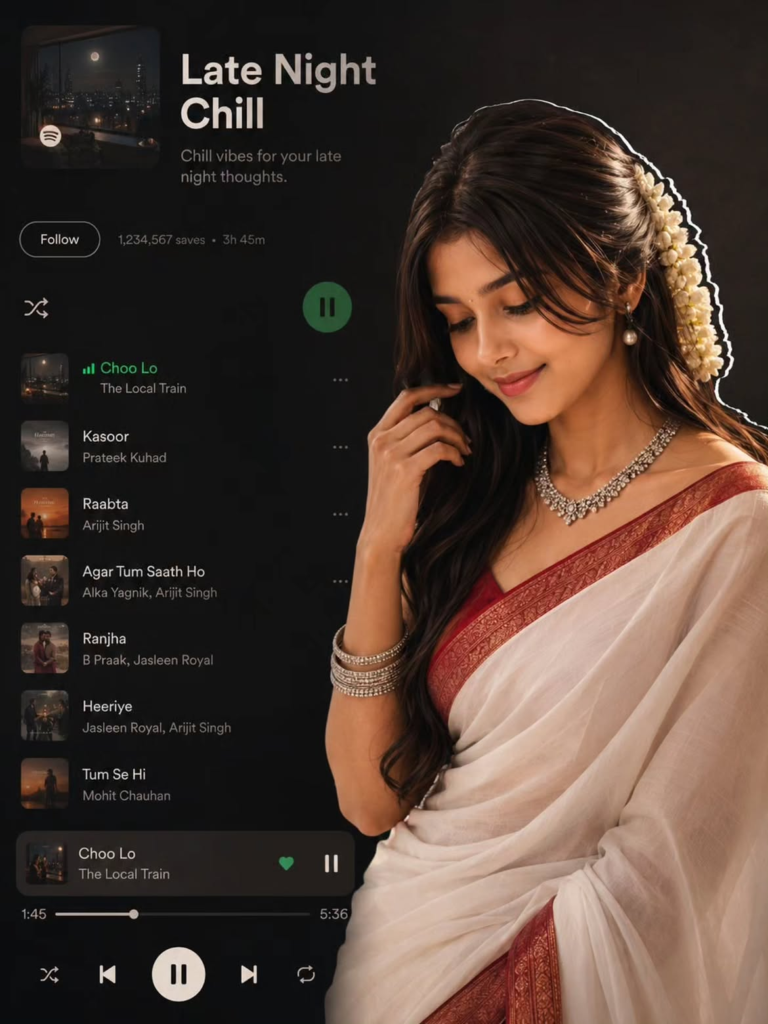
This concept combines a traditional South Asian fashion portrait with a dark music-player aesthetic. The woman appears graceful and natural while the music interface blends into the composition like a modern poster.
Copy Prompt:
Enter yCreate a cinematic, elegant mid-shot portrait of a South Asian woman with long, wavy dark-brown hair decorated with a traditional white jasmine gajra. She is looking downward with a soft, gentle smile. She wears a classic white saree featuring intricate red and gold embroidery along the border, paired with a matching maroon sleeveless blouse. Add elegant traditional silver jewelry, including a sparkling choker, matching drop earrings, and thin silver bangles. Use a dark, moody studio background with cinematic lighting and soft highlights that enhance her facial features, hair, jewelry, and saree texture. Add a clean glowing white sticker-style outline around the right side of her silhouette. On the left side, integrate a realistic dark-themed music-player interface showing a playlist titled “Late Night Chill,” with playback controls, a progress bar, album thumbnails, and a tasteful track list. Make the interface look naturally integrated into the portrait rather than pasted on top. Ultra-realistic photography, natural skin texture, realistic fabric details, cinematic shadows, premium editorial composition, soft rim lighting, high detail, professional DSLR look, emotional and sophisticated atmosphere.
What Makes This Prompt Special?
The first prompt focuses on elegance, tradition, and cinematic music aesthetics. The white saree, jasmine gajra, silver jewelry, and warm expression create a sophisticated cultural look, while the dark interface gives the image a modern social-media feel.
You can also replace the playlist name with your favorite mood, such as “Midnight Vibes,” “Romantic Evening,” “Peaceful Memories,” or “Sad Songs.”
Prompt 2: Emotional Broken-Heart Music Player Portrait
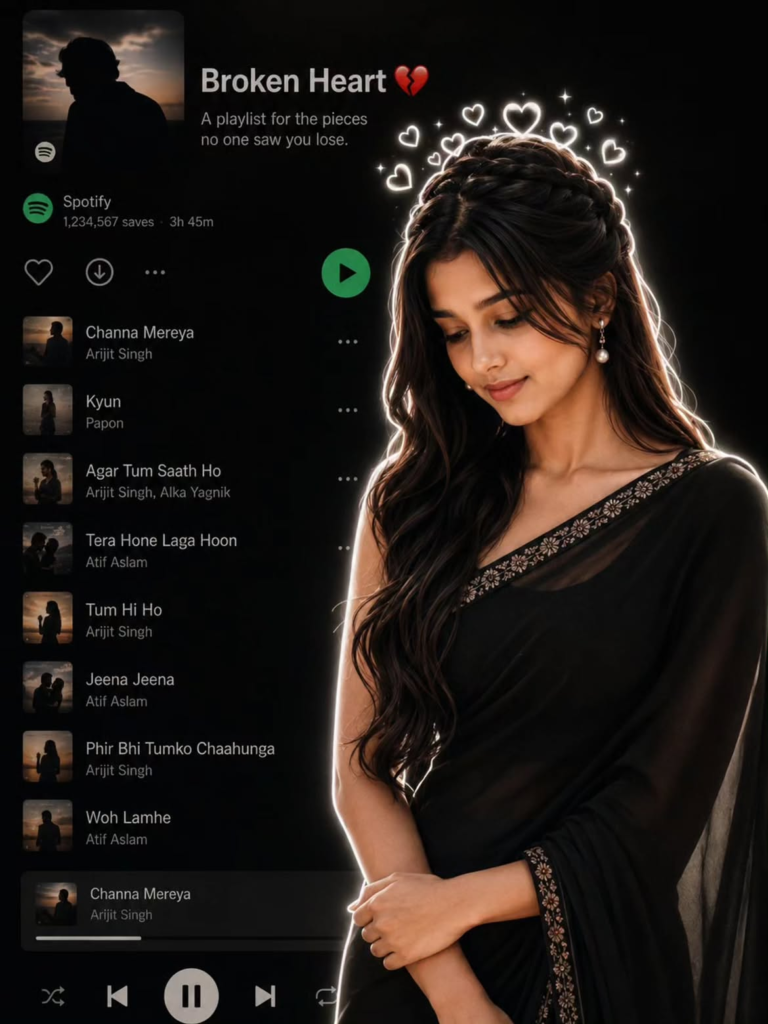
The second concept takes a darker and more emotional approach. It combines a melancholic portrait with a music-player interface and glowing heart elements, making it ideal for romantic or heartbreak-themed social-media posts.
Copy Prompt:
EntCreate a realistic cinematic portrait featuring a graceful South Asian woman looking downward with a gentle, melancholic expression. She has long, wavy dark hair styled in an intricate side braid and wears an elegant solid black saree with delicate golden embroidery along the border. Place a realistic dark music-player interface on the left side of the composition, showing a heartbreak-themed playlist titled “Broken Heart” with a heart emoji and the subtitle “A playlist for the pieces no one saw you lose.” Include a tasteful list of emotional Hindi songs, playback controls, album thumbnails, and a progress bar. Keep the woman naturally integrated on the right side outside the interface. Add a bright glowing white outline around her entire silhouette and floating soft white glowing heart shapes above her head. Use a completely dark background with cinematic rim lighting, subtle shadows, realistic skin texture, detailed hair strands, natural fabric folds, elegant jewelry, and an emotional atmosphere. Ultra-realistic photography, cinematic composition, premium editorial style, realistic lighting, high detail, soft glow, dramatic contrast, emotional storytelling, professional camera quality.
Tips for Better Results
For a more realistic result, use a sharp, well-lit reference photograph and avoid heavily filtered source images. Keep the description of clothing and hairstyle specific, but don’t overload the prompt with unnecessary details.
For social media, a vertical composition works well for Instagram Reels, Stories, and Pinterest, while a wider composition can be useful for blog thumbnails and Facebook posts.
If your AI tool struggles with text inside the music-player interface, generate the portrait first and add the playlist design afterward using a graphic-design editor. This often produces cleaner typography.
Final Words
The AI music-player portrait trend is a creative way to transform a simple photograph into a cinematic storytelling image. By combining traditional fashion, emotional expressions, dramatic lighting, and a personalized playlist interface, you can create artwork that feels both personal and visually striking.
Try both prompts and experiment with different songs, colors, outfits, and moods to create your own unique version of the trend.
ALSO READ