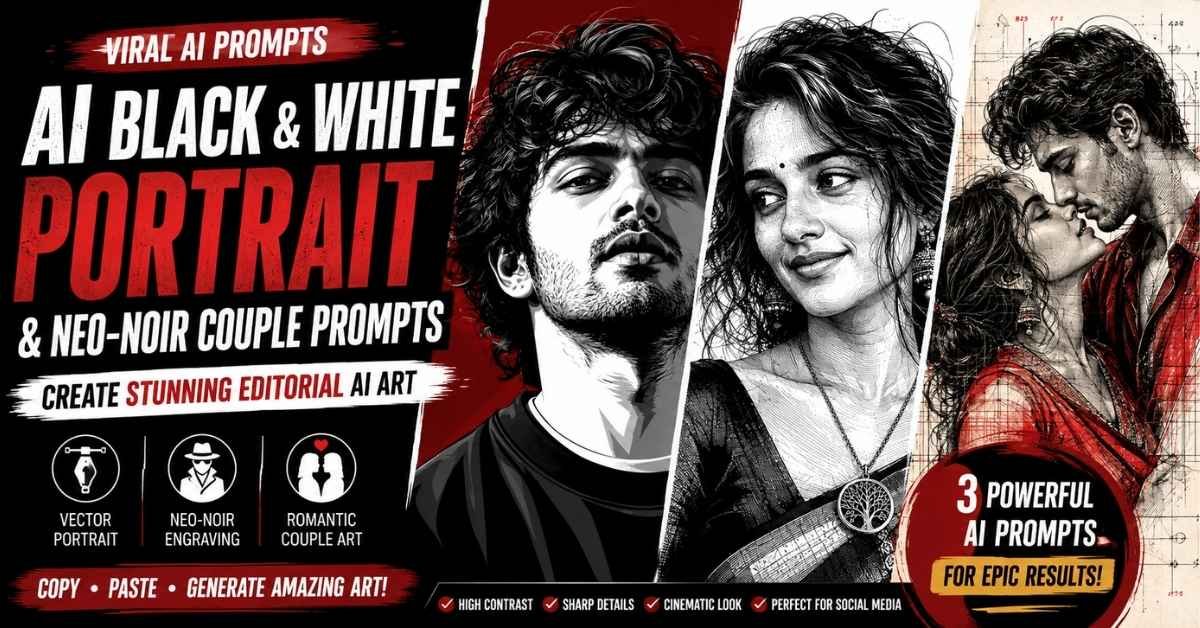
AI image generation has moved far beyond simple photo filters. With the right prompt, you can transform an ordinary portrait into a dramatic black-and-white vector illustration, a cinematic neo-noir artwork, or even an artistic romantic couple composition.
In this guide, you’ll find three refined AI photo prompts inspired by the uploaded reference designs. Each prompt has been rewritten from scratch with a stronger structure, clearer instructions, and better control over identity, composition, lighting, clothing, and artistic details.
You can copy any prompt directly and use it with your preferred AI image-generation tool.
What Makes These AI Portrait Prompts Different?
The reference designs use several visual elements that make the results stand out:
- High-contrast black-and-white artwork
- Sharp vector and engraved illustration details
- Cinematic neo-noir atmosphere
- Strong facial definition
- Detailed hair and clothing
- Editorial fashion-poster composition
- Controlled negative space
- Dramatic shadows and highlights
- Minimal but powerful color accents
- Strong preservation of the uploaded person’s appearance
The most important instruction is to use your uploaded photograph as the identity reference. The AI should change the artistic treatment without unnecessarily changing the person’s recognizable facial characteristics.
Prompt 1: Sharp Black & White Vector Portrait
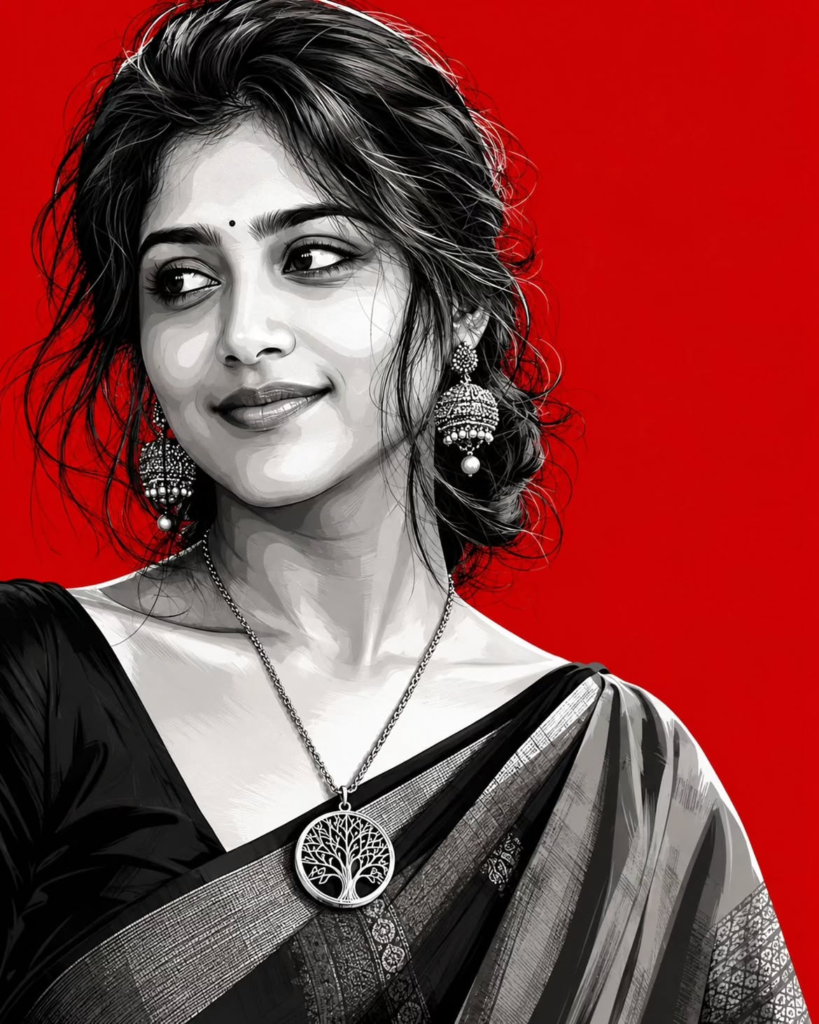
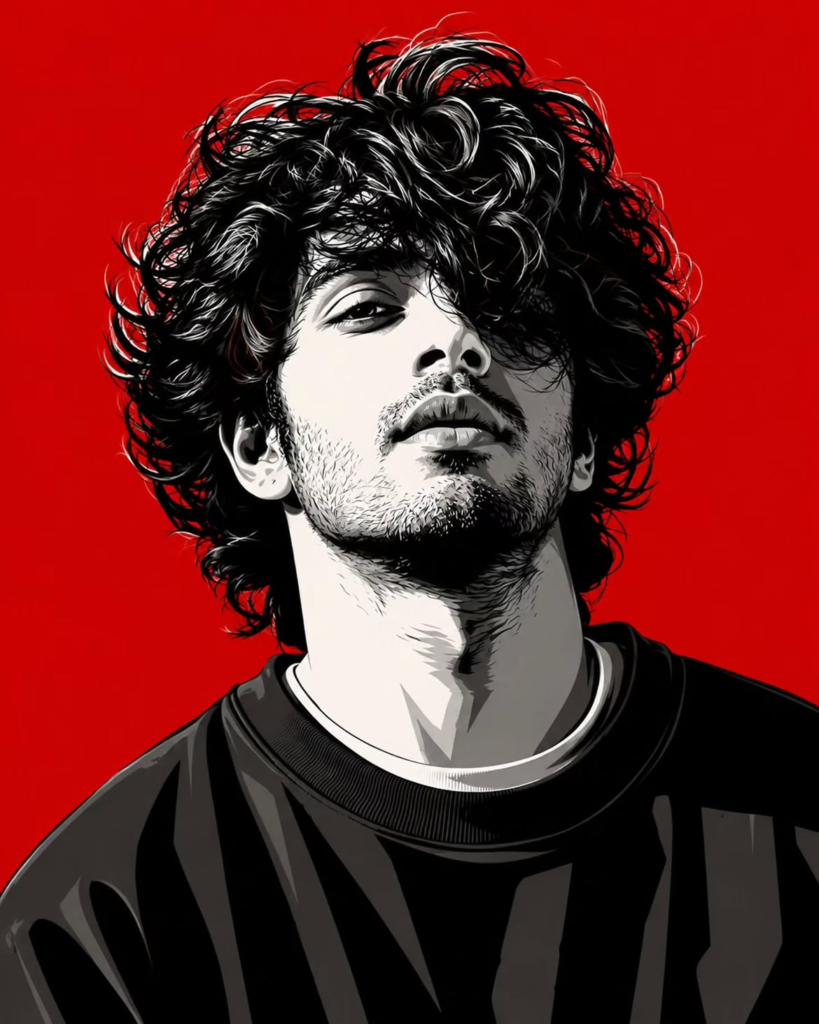
This prompt is ideal if you want to turn a normal portrait into a bold fashion-editorial vector illustration. The style focuses on clean edges, simplified shadow shapes, strong contours, and a limited black-and-white palette with an optional red background.
Copy the prompt:
Create a premium editorial vector portrait using the uploaded photograph as the primary identity reference. Preserve the subject's recognizable facial structure, face shape, hairstyle, natural proportions, pose, expression, clothing silhouette, and distinctive characteristics. Do not replace or redesign the person's identity.

Transform the photograph into a sophisticated high-contrast black-and-white vector illustration with crisp geometric edges, bold contour separation, simplified graphic shadows, and carefully controlled negative space.

Use a refined palette consisting primarily of deep black, clean white, and subtle charcoal-gray tones. Add restrained dark-red accents only where they improve the visual composition. If appropriate, place the subject against a solid deep-red background to create a powerful fashion-poster aesthetic.

Keep the facial features recognizable while converting realistic details into elegant vector shapes. Build the face using clearly defined planes, angular shadow forms, sharp highlights, and smooth graphic transitions. Avoid excessive photorealism.

Recreate the visible hairstyle faithfully, translating individual strands and major hair shapes into clean illustrated forms. Preserve the overall haircut, hairline, volume, direction, and silhouette instead of inventing a completely different hairstyle.

Retain important clothing characteristics from the reference photograph while simplifying them into polished vector shapes. Use strong folds, clean silhouettes, and controlled tonal separation.

The final artwork should feel like a modern luxury fashion campaign, editorial poster, or premium graphic illustration. Use a confident, sophisticated, contemporary mood with strong visual impact.

Composition: centered portrait or fashion-poster framing, strong subject presence, balanced proportions, clean background, professional editorial presentation.

Rendering: razor-sharp edges, high-resolution illustration, bold shadow blocks, clean vector surfaces, sophisticated tonal separation, polished graphic finish.

Do not add captions, logos, usernames, signatures, watermarks, random typography, borders, or unnecessary objects.

Negative prompt: blurry details, distorted face, altered identity, extra people, duplicate features, deformed anatomy, excessive photorealism, watercolor texture, generic cartoon style, anime style, 3D render, messy background, excessive colors, text, logo, watermark.
Best Result Tips
For this style, use a reasonably clear portrait where the face and hairstyle are visible. A front-facing or slightly angled photograph usually gives the AI more useful facial information.
A dark red background can be particularly effective when you want the image to resemble a dramatic fashion poster.
Prompt 2: Cinematic Neo-Noir Engraved Portrait
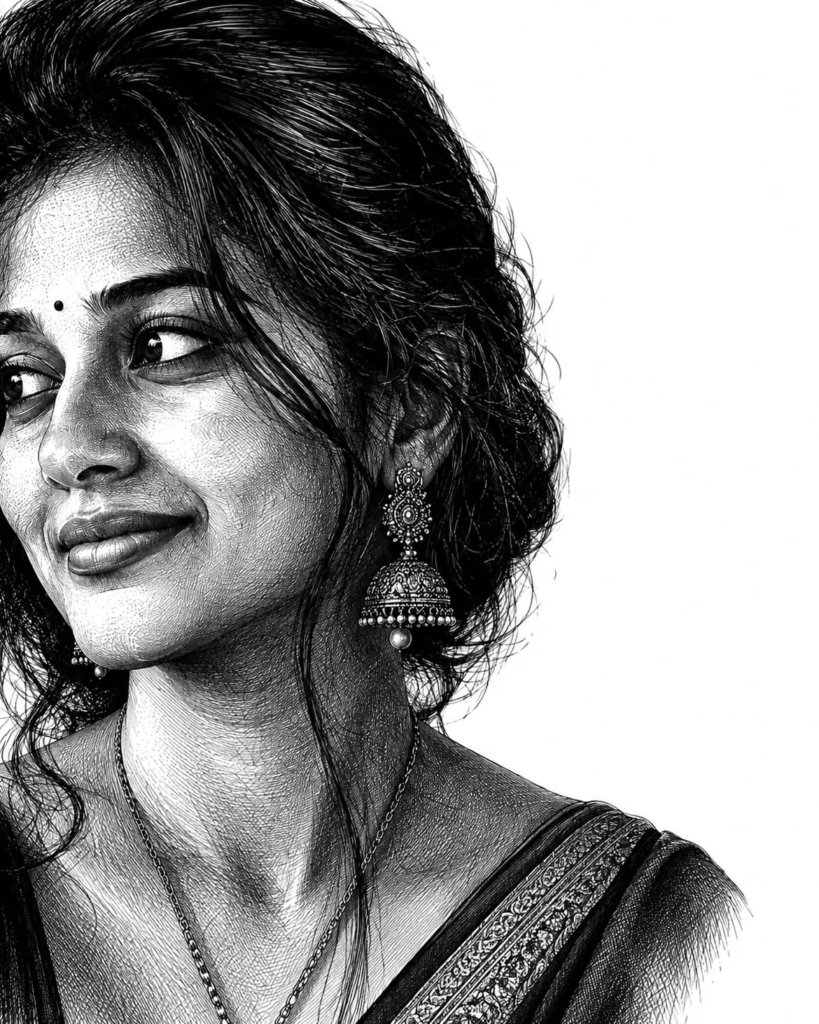
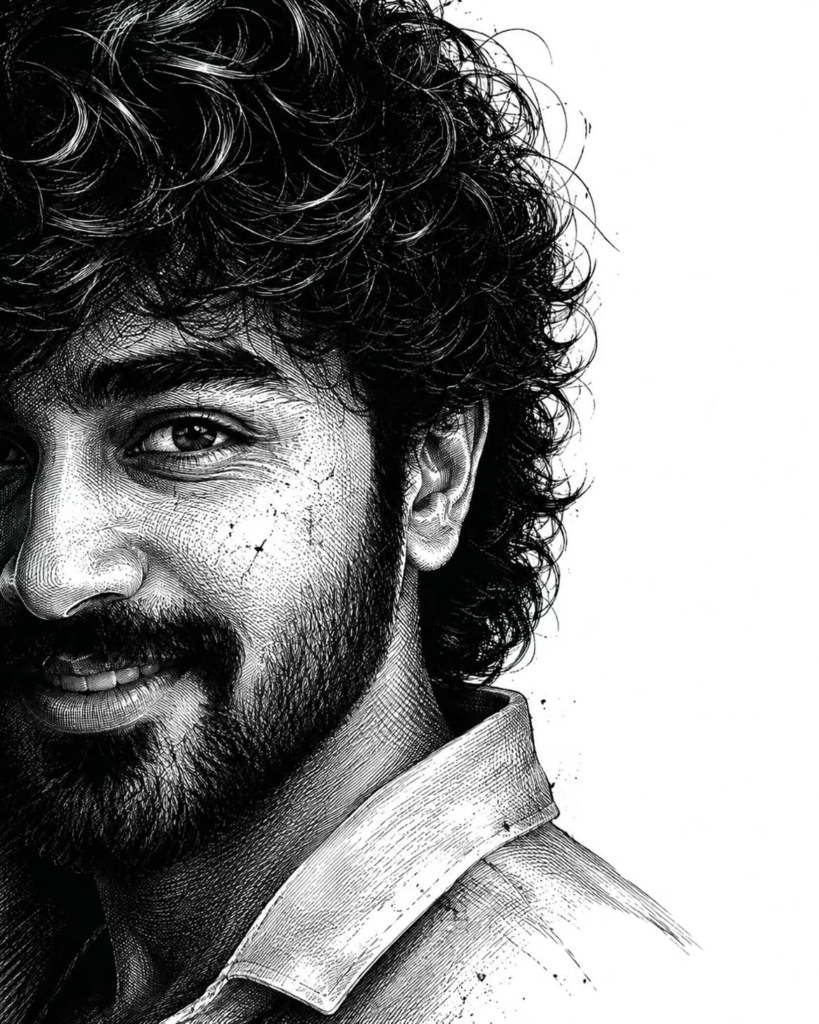
If you prefer something darker and more cinematic, this neo-noir engraving prompt is a great option. Instead of a flat vector appearance, it creates the feeling of a detailed traditional ink illustration with cross-hatching and dramatic chiaroscuro.
Copy the prompt:
Use the uploaded photograph as the sole identity reference and preserve the subject's recognizable appearance with maximum consistency. Maintain the original facial proportions, face shape, eyes, eyebrows, nose, lips, jawline, cheekbones, skin characteristics, hairstyle, hairline, and other distinctive facial details. Change the artistic treatment only; do not redesign the person.

Transform the portrait into an ultra-detailed black-and-white neo-noir illustration inspired by traditional ink engraving, fine-line etching, and sophisticated cross-hatching.

Create a dramatic vertical portrait composition with the subject occupying approximately 60–65 percent of the frame. Leave a substantial area of clean white negative space beside the subject. Keep the background completely minimal so the intricate engraved artwork remains the primary visual focus.

Use cinematic close-up framing with the face directed toward the viewer and only a subtle natural angle. Make the eyes one of the strongest focal points of the composition.

Reproduce the original hairstyle accurately from the reference image. Preserve its overall length, shape, direction, volume, hairline, and natural texture. Convert the hair into thousands of carefully controlled engraved strokes, fine lines, cross-hatched sections, and layered directional marks. Do not replace the hairstyle with an unrelated haircut.

Preserve the subject's natural facial-hair appearance. If facial hair exists in the reference, represent it using individually defined ink strokes, subtle cross-hatching, natural density, and strong contour definition. If the reference shows a clean-shaven appearance, keep the subject clean-shaven.

Render the skin with fine engraved textures, subtle pores, restrained imperfections, and sophisticated tonal transitions. Use extremely subtle scars or texture only when naturally present in the reference and never allow them to change the person's identity.

Create intense neo-noir chiaroscuro lighting. One side of the face should receive controlled illumination while the opposite side gradually disappears into deep shadow. Construct the shadows primarily through dense cross-hatching and line concentration rather than smooth digital gradients.

Use deep blacks, bright whites, and carefully controlled gray values. Maintain a monochromatic visual language throughout the portrait.

The final result should resemble a museum-quality traditional ink engraving combined with a modern cinematic crime-thriller editorial portrait. It should feel mysterious, powerful, mature, sophisticated, and dramatic without becoming a comic-book or cartoon illustration.

Use extremely sharp linework, micro-details, layered engraving marks, realistic facial anatomy, premium editorial composition, and high-resolution output.

Keep the background pure white with a large uninterrupted negative-space region. Do not add objects, scenery, patterns, typography, logos, captions, signatures, or watermarks.

Negative prompt: altered identity, different person, distorted facial anatomy, artificial beauty changes, cartoon face, anime, comic-book style, 3D render, smooth plastic skin, excessive digital gradients, colorful lighting, messy background, extra people, text, logo, watermark, low resolution, blurry engraving, excessive scars.
Prompt 3: Romantic Editorial Couple Illustration
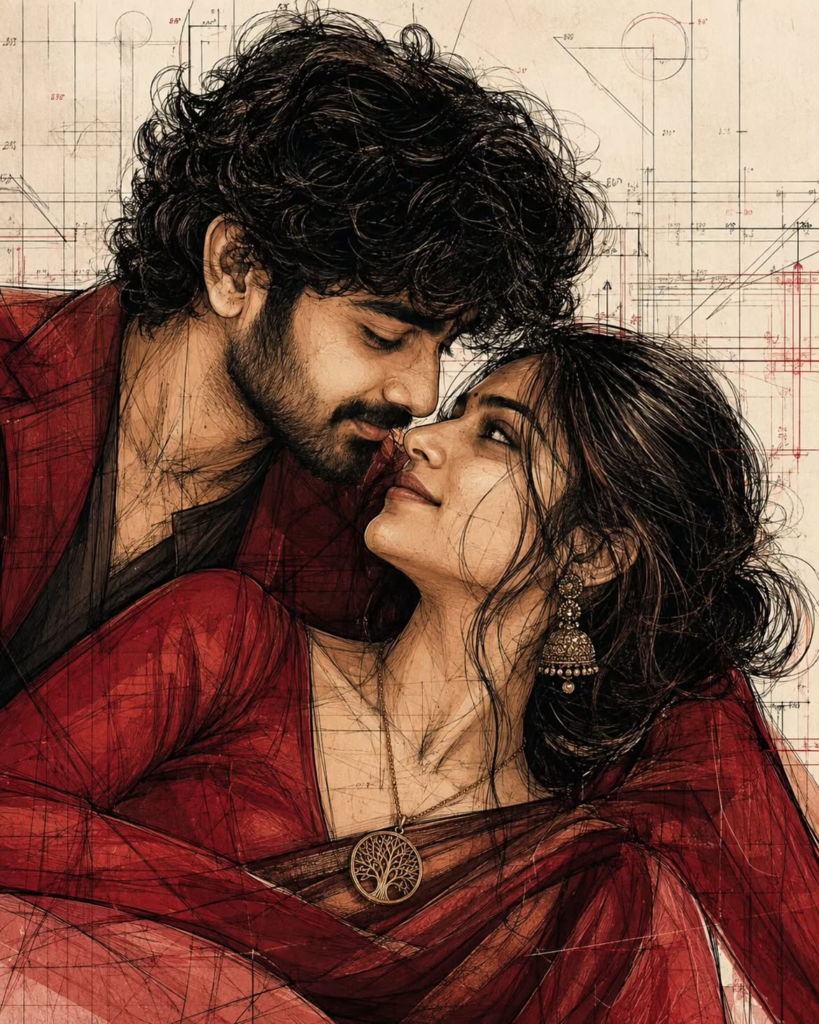
The third concept is designed for couples. It combines romantic fashion photography with architectural sketching, hand-drawn construction lines, warm crimson tones, and sophisticated editorial illustration.
Use this prompt when you want an artistic couple portrait that feels more like a luxury fashion campaign or conceptual magazine artwork than a standard AI-generated photograph.
Copy the prompt:
Create a sophisticated contemporary editorial fashion illustration featuring an adult romantic couple in an intimate cinematic pose. Use the uploaded reference photographs, when available, to preserve each person's recognizable facial characteristics, including facial proportions, eyes, eyebrows, nose, lips, jawline, cheekbones, skin tone, hairstyle, hairline, and other distinctive features.

Do not replace or redesign their identities. Preserve realistic adult anatomy and natural body proportions while translating the scene into a highly detailed hand-drawn fashion illustration.

Compose the artwork in a strict vertical 4:5 social-media portrait format. Arrange the couple diagonally across the composition rather than placing them in a conventional upright pose. Allow their bodies and clothing to overlap naturally while maintaining believable anatomy.

Position the man slightly above and behind the woman, leaning gently toward her. Position the woman prominently in the foreground with her face angled upward toward him. Bring their faces very close together to create a subtle almost-kiss moment. The emotion should communicate affection, intimacy, elegance, and quiet connection without becoming explicit.

Use an original contemporary luxury-fashion aesthetic. Dress the man in a sophisticated dark burgundy or crimson jacket with a neutral inner layer. Give him naturally textured hair with individually illustrated strands.

Dress the woman in an elegant original red, burgundy, or crimson fashion garment featuring layered fabric, expressive folds, refined textile details, and sophisticated draping.

Render the couple using expressive black contour lines, detailed internal construction marks, loose hand-drawn strokes, architectural drafting lines, perspective guides, measurement marks, geometric diagrams, and subtle technical annotations.

The illustration should look intentionally handmade rather than like a conventional digital vector image. Combine three visible artistic layers: expressive fashion illustration, anatomical and clothing linework, and architectural concept-sketch elements.

Use varied line weights. Make the outer contours bold and confident while keeping internal construction lines thinner and more delicate. Allow selected sketch lines to extend beyond the figures and interact with the surrounding negative space.

Create a background inspired by architectural drafting paper. Include subtle floor-plan fragments, perspective guides, geometric forms, measurement marks, construction diagrams, and handwritten-style technical annotations.

Use a restrained palette dominated by black, deep crimson, dark burgundy, muted coral, warm beige, cream, and subtle gray. Keep the skin tones naturally illustrated rather than heavily photorealistic.

Use flat warm color blocks combined with expressive ink lines, selective transparent washes, and carefully placed darker crimson shadows. Avoid excessive gradients.

The overall atmosphere should feel romantic, artistic, intimate, fashion-forward, architectural, experimental, and premium.

The final artwork should resemble an original luxury fashion illustration printed over an architect's conceptual working drawing. Maintain realistic facial anatomy and believable body positioning while emphasizing the hand-drawn editorial aesthetic.

Do not include superheroes, comic-book characters, copyrighted characters, logos, brand names, captions, watermarks, or unnecessary text.

Negative prompt: distorted anatomy, unnatural pose, altered identity, duplicate people, extra limbs, deformed hands, cartoon appearance, anime, generic stock-photo look, excessive photorealism, 3D render, superhero costume, cluttered composition, excessive colors, large typography, logo, watermark.
How to Use These AI Prompts
Using these prompts is straightforward.
Step 1: Choose a Clear Photo
Select a high-quality image with good facial visibility. Avoid heavily blurred photographs or images where the face is covered.
Step 2: Upload the Image
Open your preferred AI image-generation or image-editing tool and upload the photograph you want to transform.
Step 3: Copy the Suitable Prompt
Choose the Vector Portrait prompt for a sharp graphic look, the Neo-Noir Engraving prompt for a dark cinematic style, or the Couple Editorial prompt for a romantic fashion illustration.
Step 4: Generate the Image
Paste the prompt and generate the artwork. If your tool provides aspect-ratio controls, use a vertical portrait format for social media posts.
Step 5: Improve the Result
If the first result changes the face too much, generate again using stronger identity-preservation instructions. A clearer reference image can also make a major difference.
Which Prompt Should You Try First?
If you want a bold Instagram-style fashion poster, start with the Vector Portrait prompt.
If you want a dark, mysterious and cinematic look, the Neo-Noir Engraving prompt is the better choice.
For couples who want something romantic, artistic and completely different from ordinary couple photos, try the Editorial Couple prompt.
Final Thoughts
These AI prompts are designed to give ordinary photographs a much more sophisticated artistic treatment. Instead of simply applying a filter, they guide the image generator to control facial identity, composition, lighting, clothing, hair, shadows, linework, and overall visual mood.
For the strongest results, always begin with a clear reference image and choose the prompt according to the visual style you want. You can also experiment with different crops, poses, backgrounds, and color accents while keeping the main identity-preservation instructions intact.
Tip: Save these prompts in your notes so you can reuse them whenever you want to create another AI editorial portrait or couple artwork.
ALSO READ:-5 Stunning Watercolor AI Portrait Prompts to Turn Your Photos Into Art
5 Viral AI Photo Prompts to Create Ultra-Realistic Indian Portraits in 2026
5 Viral AI Family Photo Prompts to Create Emotional Father-Mother-Child Images
6 Viral AI Photo Prompts to Turn Your Own Photos Into Stunning Portraits