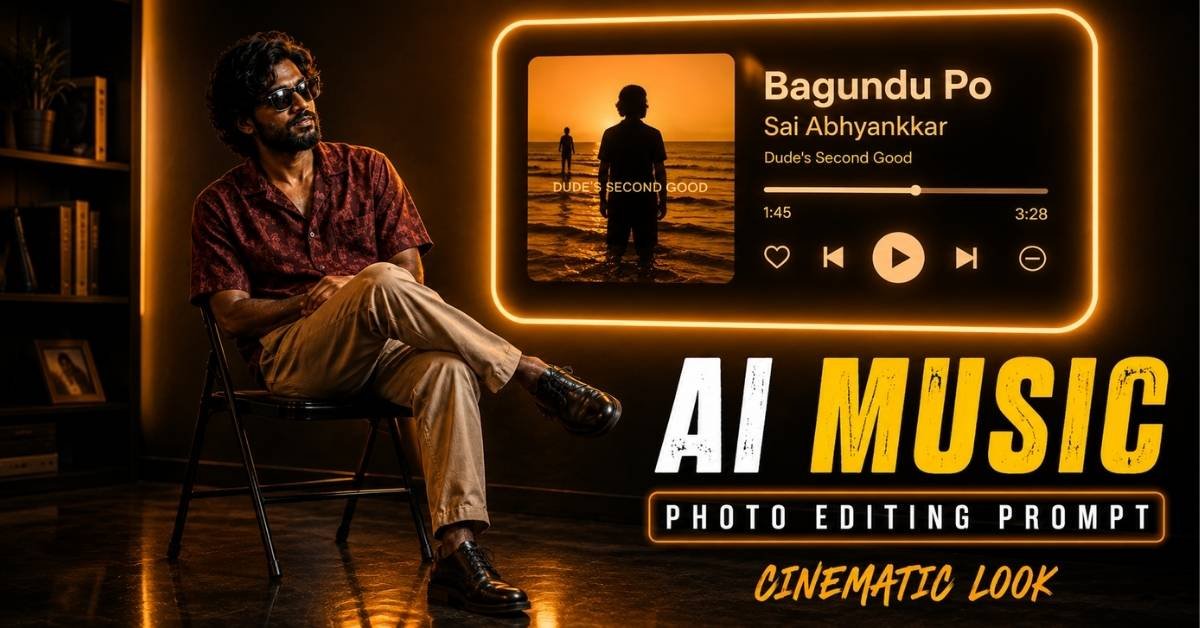
AI photo editing is becoming more creative, and music-inspired portraits are one of the latest styles attracting attention on social media. With the right prompt, an ordinary portrait can be transformed into a cinematic scene featuring dramatic lighting, a stylish indoor setup, and a glowing music-player interface.
One interesting concept is a cinematic music-room portrait inspired by the song “Bagundu Po” from Sai Abhyankkar’s album Dude’s Second Good. The effect combines a moody amber atmosphere with a realistic portrait, neon lighting, and a digital music card in the background.
What Makes This AI Photo Editing Style Special?
The main attraction of this editing concept is its cinematic atmosphere. Instead of simply changing the background, the prompt creates an entire visual environment around the person.
The scene features:
- Warm amber and golden lighting
- Deep cinematic shadows
- A dark minimalist room
- A glowing music-player card
- A stylish seated pose
- Full-body composition
- Reflections on a polished floor
- Soft neon illumination
- A premium editorial photography look
The combination of these elements gives the final image the appearance of a professionally photographed music campaign.
How to Create the Image Step by Step
Step 1: Choose a Clear Photo
Select a high-quality portrait where your face is clearly visible. A well-lit image generally gives AI tools a better reference for maintaining facial details.
Step 2: Upload Your Photo
Open your preferred AI image editor or generator and upload your reference image. Select the option that allows you to use an uploaded photograph as the identity or reference image.
Step 3: Add the Prompt
Copy the complete prompt above and paste it into the tool’s prompt box. If the platform provides image-strength or reference-strength controls, choose a setting that keeps your facial appearance consistent.
Step 4: Generate the Image
Generate the image and check the result. The most important details to look for are facial consistency, natural body proportions, realistic clothing, and believable lighting.
Step 5: Improve the Result
If the first result isn’t perfect, regenerate it with additional instructions such as:
Keep the face highly consistent with the reference photo, improve natural anatomy, realistic hands, accurate clothing texture, cinematic lighting, and authentic photographic details.
AI Music Photo Editing Prompt
You can use the following prompt with an AI image-generation or photo-editing tool. Upload your portrait first and use it as the identity reference.
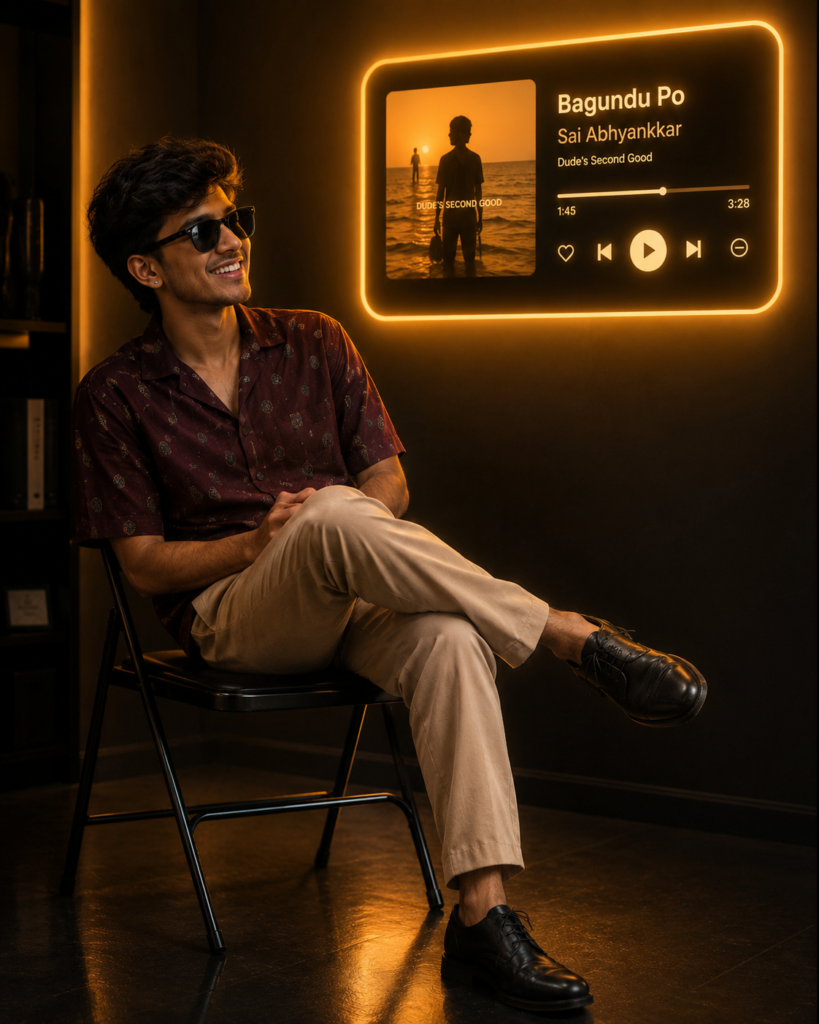
Create an ultra-realistic cinematic indoor portrait using the uploaded photo as the identity reference. Preserve the person’s facial features, natural skin tone, hairstyle, body proportions, and overall likeness. Show a young man with curly black hair wearing dark sunglasses, a maroon printed shirt, beige trousers, and black shoes. He is sitting casually on a simple black folding chair with his legs crossed and hands resting naturally in his lap, looking toward the right and slightly upward. Set the scene inside a dark minimalist room with warm amber lighting and deep shadows. Add a large glowing music-player card mounted on the wall in the upper-right background. The interface should feature the song “Bagundu Po” by Sai Abhyankkar, with album artwork on the left and realistic playback controls on the right. Use soft golden neon illumination to highlight the subject’s profile and create subtle reflections across the polished floor. Keep the subject positioned around the left third of the composition and the glowing music interface around the upper-right third. Use a slightly low camera angle, full-body framing, realistic shadows, subtle volumetric light, high contrast, shallow-to-moderate depth of field, 35mm photography look, ultra-detailed textures, natural skin, realistic fabric folds, photorealistic lighting, premium editorial photography, cinematic mood, and professional color grading.
Tips for a More Realistic Result
For a professional-looking result, don’t rely only on the main prompt. Your reference photo also matters.
Use a sharp reference: A clear face makes identity preservation easier.
Avoid excessive effects: Too much glow or artificial lighting can make the image look unrealistic.
Keep the lighting consistent: The subject, floor, wall, and music interface should appear to be illuminated by the same warm light source.
Ask for natural anatomy: AI-generated hands, legs, and body proportions can sometimes look unnatural, so including anatomy instructions can help.
Use cinematic composition: Placing the person on one side and the glowing music card on the opposite side creates visual balance.
Why This Style Can Work Well for Social Media
Music-themed AI portraits have strong visual appeal because they combine personal identity, storytelling, and popular music aesthetics in a single image.
The glowing interface immediately establishes the theme, while the warm amber lighting gives the portrait a premium cinematic feel. The seated pose also makes the image look more relaxed rather than like a conventional studio portrait.
You can use this concept for Instagram posts, Facebook creatives, Pinterest graphics, profile artwork, or as inspiration for short-form video edits.
Final Thoughts
The cinematic “Bagundu Po” music photo editing concept is a great example of how a simple portrait can be turned into a detailed visual story with AI. The key is combining a strong identity reference with precise instructions for lighting, pose, environment, composition, and photography style.
For the best results, experiment with different poses and camera angles while keeping the core amber-and-neon cinematic aesthetic consistent.
ALSO READ
AI Birthday Photo Editing Prompt: Turn Your Photo Into a Stunning Luxury Poster
Trending AI Music Player Photo Editing Prompts to Create Emotional Photos 2026
Turn Your Friends’ Photos Into a Viral Cinematic AI Poster in Minutes